The Story
Jabra PanaCast
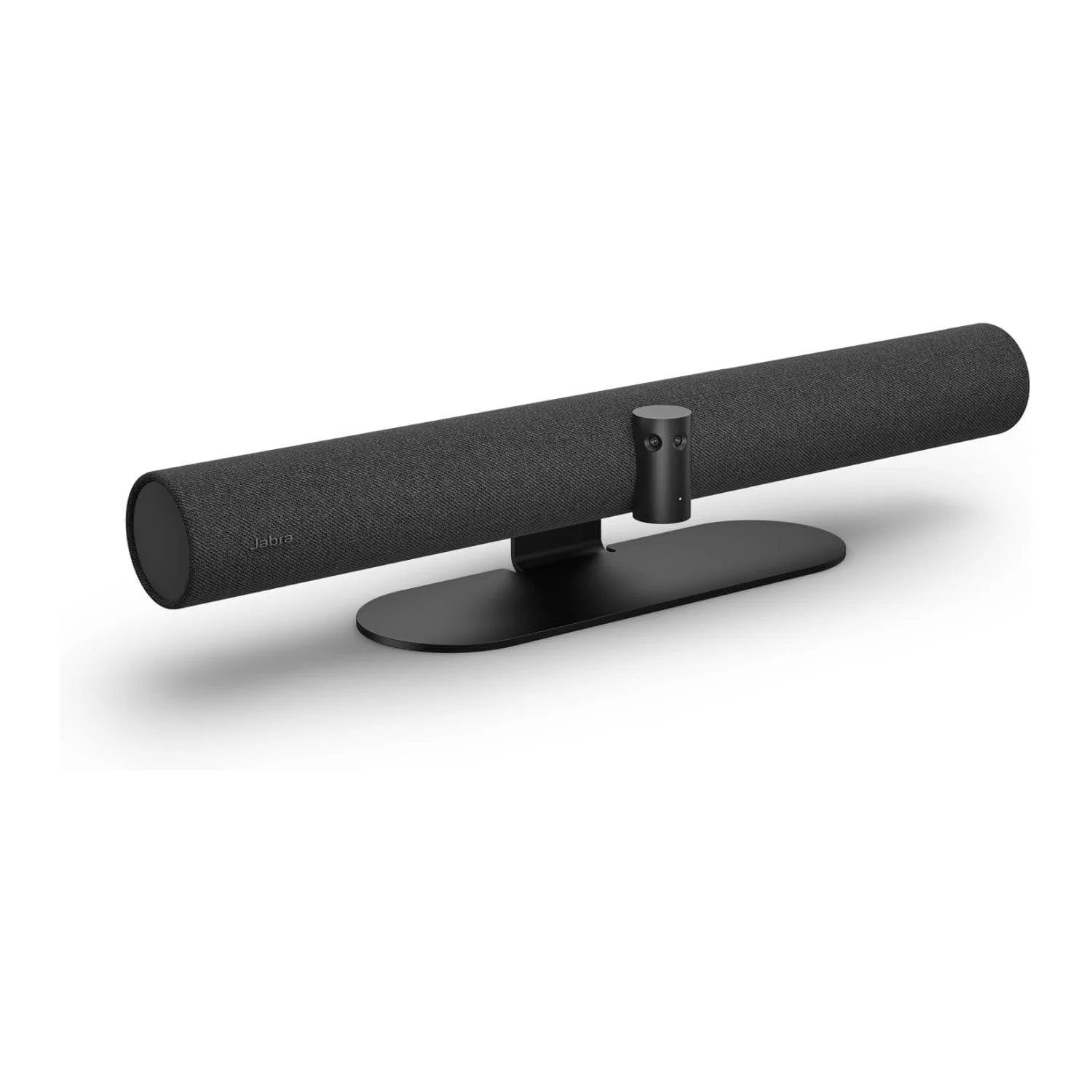
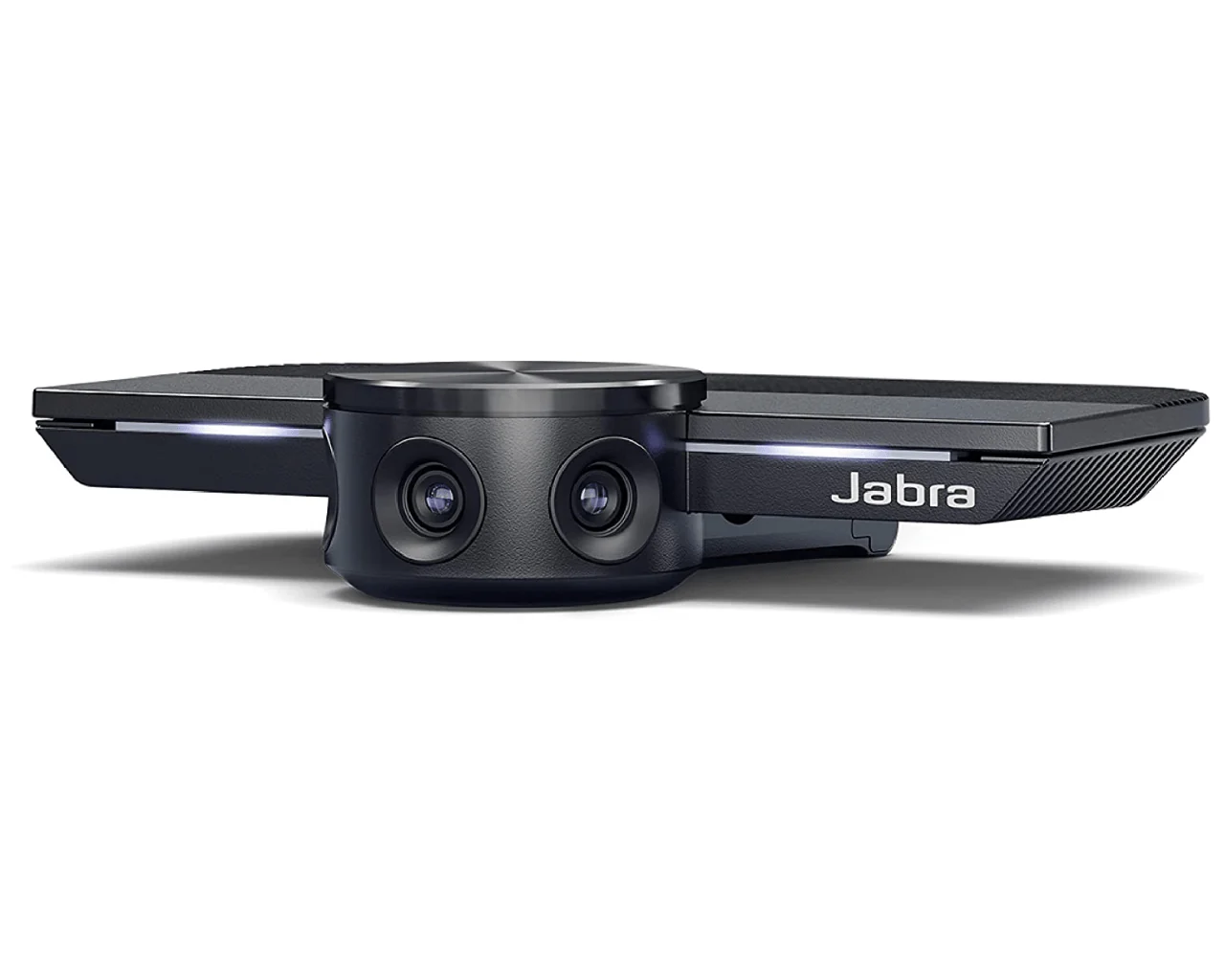
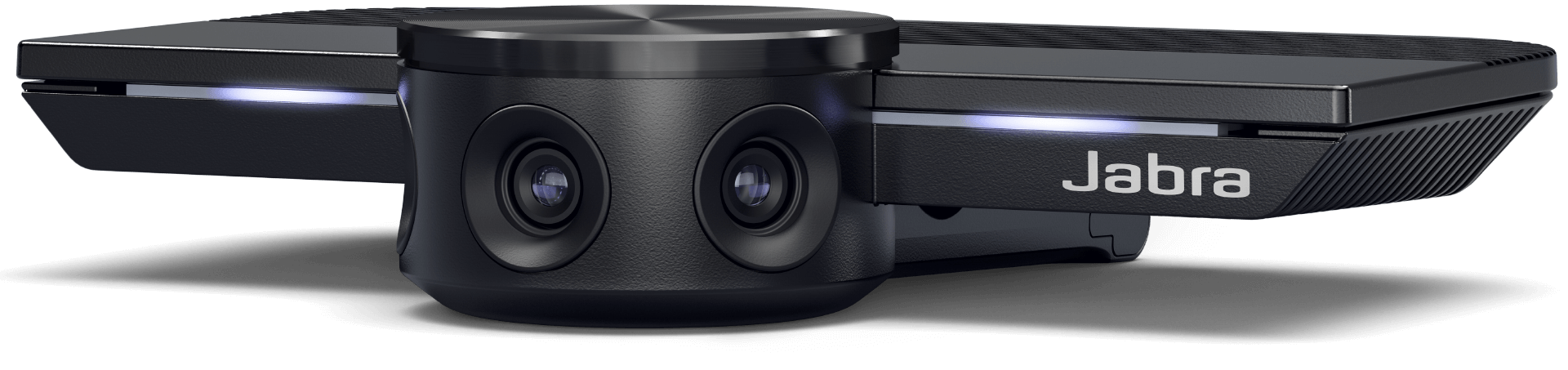
- INCLUSIVE VIDEO CONFERENCE CAMERA – Jabra PanaCast is engineered to be the world’s first intelligent video conferencing camera. With three 13 MP cameras and real-time video stitching, you’ll get full 180° coverage for a natural view of all participants.
- INTELLIGENT VIDEO TECHNOLOGY – The intelligent video technology in this wide-angle webcam ensures a great video experience even with varying lighting conditions. Plus, the camera zoom adjusts automatically to include everyone in the conversation.
- EASY SET UP – This huddle room 4K webcam features plug-and-play capability, so you can get your conference calls started quickly & easily. Simply plug the Jabra PanaCast into your laptop or computer’s USB port and you’re ready to go. Includes USB-A cable.
- WIDELY COMPATIBLE – Jabra PanaCast can be used with all leading audio & video conferencing solutions. Certified for use with Microsoft Teams and compatible with Zoom and more, you can be confident your team can connect, whatever equipment they’re using.
- VERSATILE SOLUTIONS – Jabra PanaCast makes it easy to connect with your coworkers, patients, clients, students & staff, no matter if you are at the office or at home. Pair with Jabra Speak audio for an all-around superior video conferencing system.
Take that meeting where you are.
Huddle up, without huddling in.
While huddling together is off the table, you can still make use of your small meeting rooms safely, with PanaCast.
The more you know.
There’s never been a better time to learn something new, and PanaCast is the perfect tool for distance learning.
The doctor will see you now.
From routine check-ups to phone consultations, PanaCast makes it easy to connect with your patients and staff remotely, and safely.
Versatile
Works with everything, everywhere.
Jabra PanaCast works with all leading video and audio conferencing solutions, and is certified for use with Microsoft Teams & Zoom. Be confident that your team can connect, whatever equipment they’re using.












180° field of view
Panoramic-4K video technology.
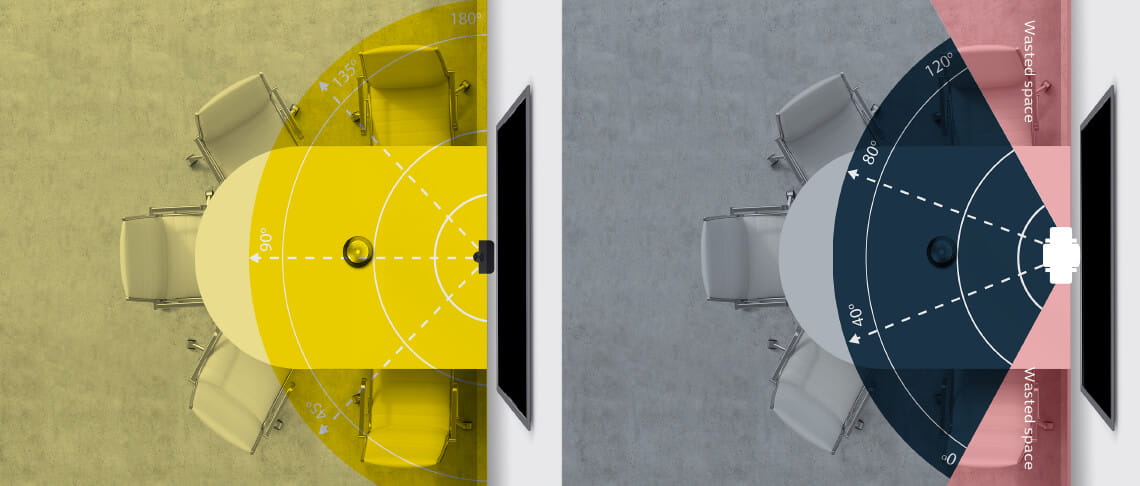
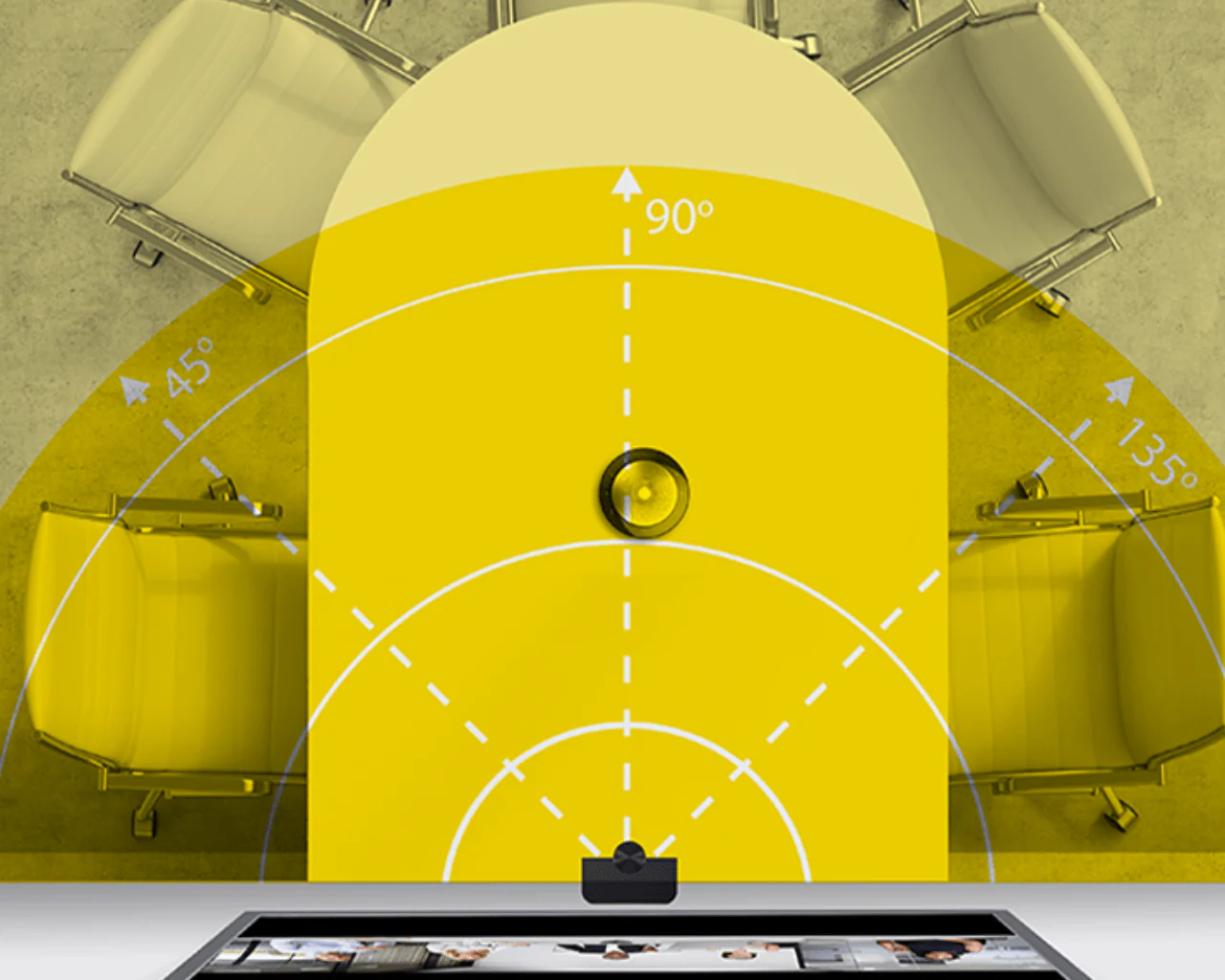
Traditional video conferencing cameras rarely provide the full picture. Jabra PanaCast covers the full 180° field of view.

WHITEBOARD SHARING
Bringing the whiteboard back into the picture.
A simple whiteboard is one of the most powerful collaboration tools. But with more and more meetings going remote, using one can have its limitations – especially for those who aren’t in the room to see it. It’s time to reinvent the traditional whiteboard for modern ways of working.
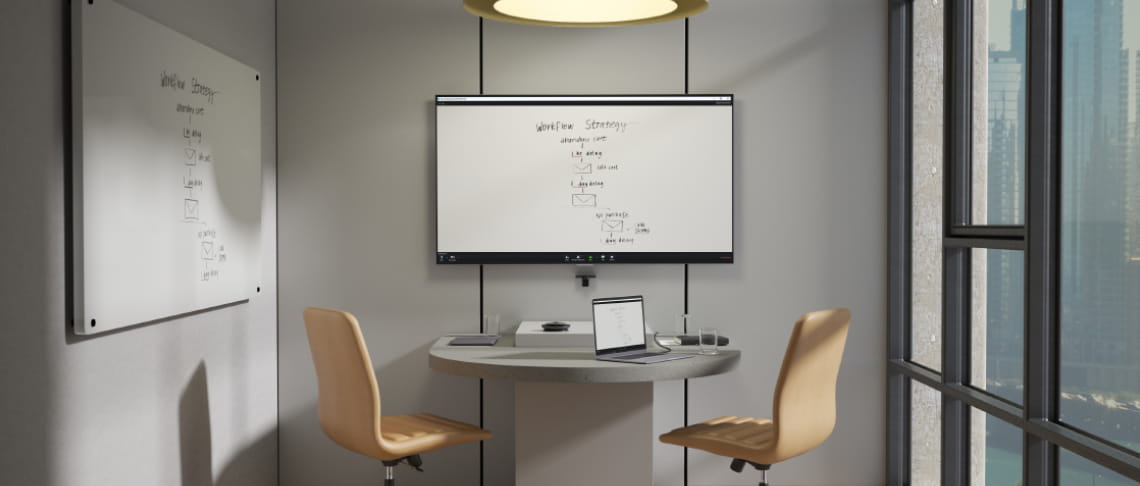
Our intuitive new Whiteboard Sharing feature utilizes our unique 180° field of view to share content from up to three whiteboards digitally*. You can toggle easily between them via a simple, free setup in the Jabra Vision app, making PanaCast the most flexible content sharing camera on the market. This pioneering software uses advanced algorithms to capture your whiteboard content in real time, from any position in the room, displaying it clearly within your meeting for everyone to see, so nobody is left in the dark.
We’re bringing the whiteboard online.
*For optimum results, use black whiteboard markers and ensure that your whiteboard is placed within three meters of the Jabra PanaCast. 1m x 1.5m to 1.5m x 3m / from 3ft x 5ft to 5ft x 10ft sized whiteboards work best – for more information see our user manual.
ROOM INSIGHTS
Keep a virtual eye on your meeting rooms.
Managing multiple meeting rooms is much easier when you can see how they’re being used. Our Room Insights feature, which you’ll find within our Jabra Xpress software, allows you to utilize the unique data capture abilities of the Jabra PanaCast to manage your meeting rooms remotely.

Using data from PeopleCount – our pioneering feature which uses the camera’s 180° field of view to count the number of people present in a room – you can improve the utilization of your meeting spaces from the comfort of your office chair. Oh, and you can also make sure people are following local safety guidelines too.
Room Insights brings your meeting room data to your desk.
Software
Manage your video devices & settings easily.
Manage Jabra PanaCast in Jabra Direct & Xpress alongside your headsets to keep your unit updated, control key features and keep a central overview of all your devices.
Download Jabra Vision to access PanaCast Whiteboard sharing.

Includes everyone
Intelligent Zoom.
Intelligent Zoom automatically includes everyone in the conversation, zooming in whenever meeting participants are present, optimizing screen real-estate.

Plug-and-play
How to connect in your meeting room.
Plug-and-play by bringing your own laptop.
Jabra PanaCast is plug-and-play but you can also combine with a hub or dock that also connects speaker, TV, power and internet, for a simple one-cable user interface.
Integrate with your meeting room solutions.
If you’re deploying Zoom Rooms, Microsoft Teams Rooms or similar integrated solutions, Jabra PanaCast simply plugs into your existing hub, dock or compute unit.
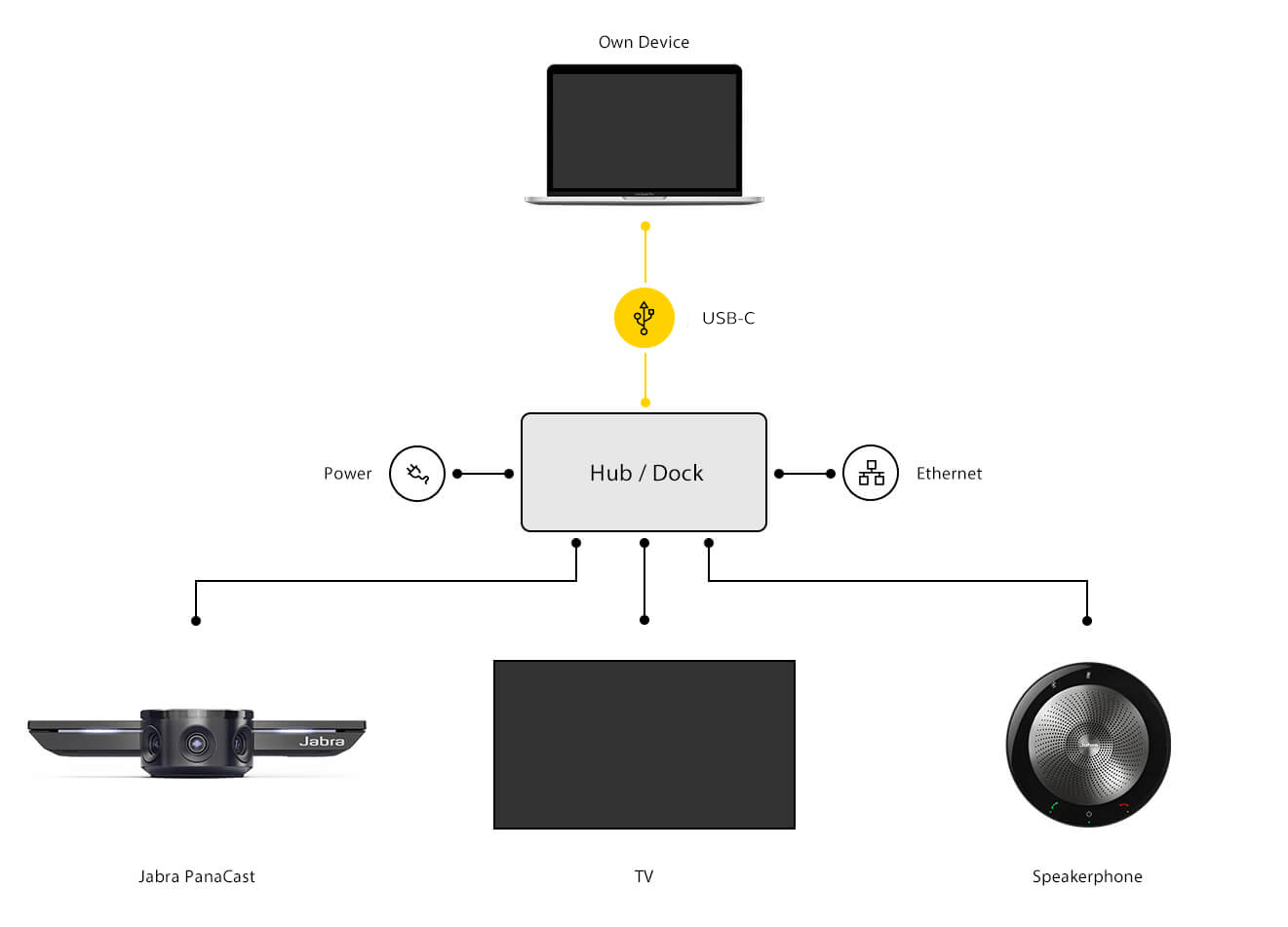
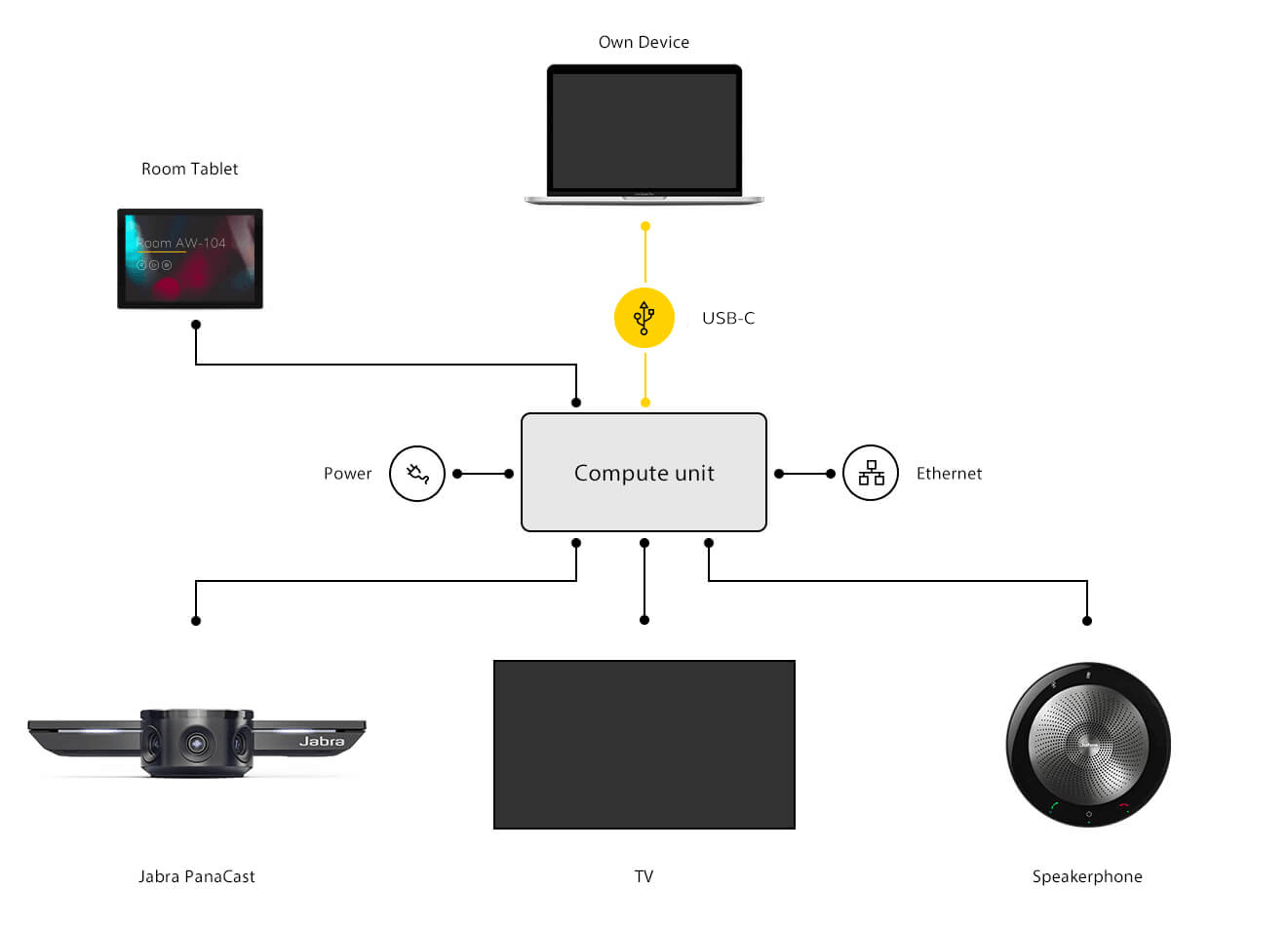
Jabra PanaCast: Approved cables, extenders, USB hubs
There are several options for cabling and extending the connection between Jabra PanaCast and the host or dock. Please see below for our current list of approved cables, extenders, and USB hubs for use with Jabra PanaCast.


ROI
Save room space with Jabra PanaCast.
Enabling better collaboration is just the beginning. It's possible to make significant financial savings, due to the 180° camera, as your real estate is utilized much better when it's possible to place the table right next to the wall.

| Specifications: | |
| Field of view: |
|
| Number of cameras: |
|
| Light control: |
|
| Stitching technology: |
|
| Supported resolutions: |
|
| Camera controls: |
|
| Adjustable field of view: |
|
| USB plug-and-play: |
|
| Power: |
|
| System requirements: |
|
| Certifications: |
|
| Compatibility: |
|
| Packaging dimensions (L x W x H): |
|
| Main unit dimension (L x W x H): |
|
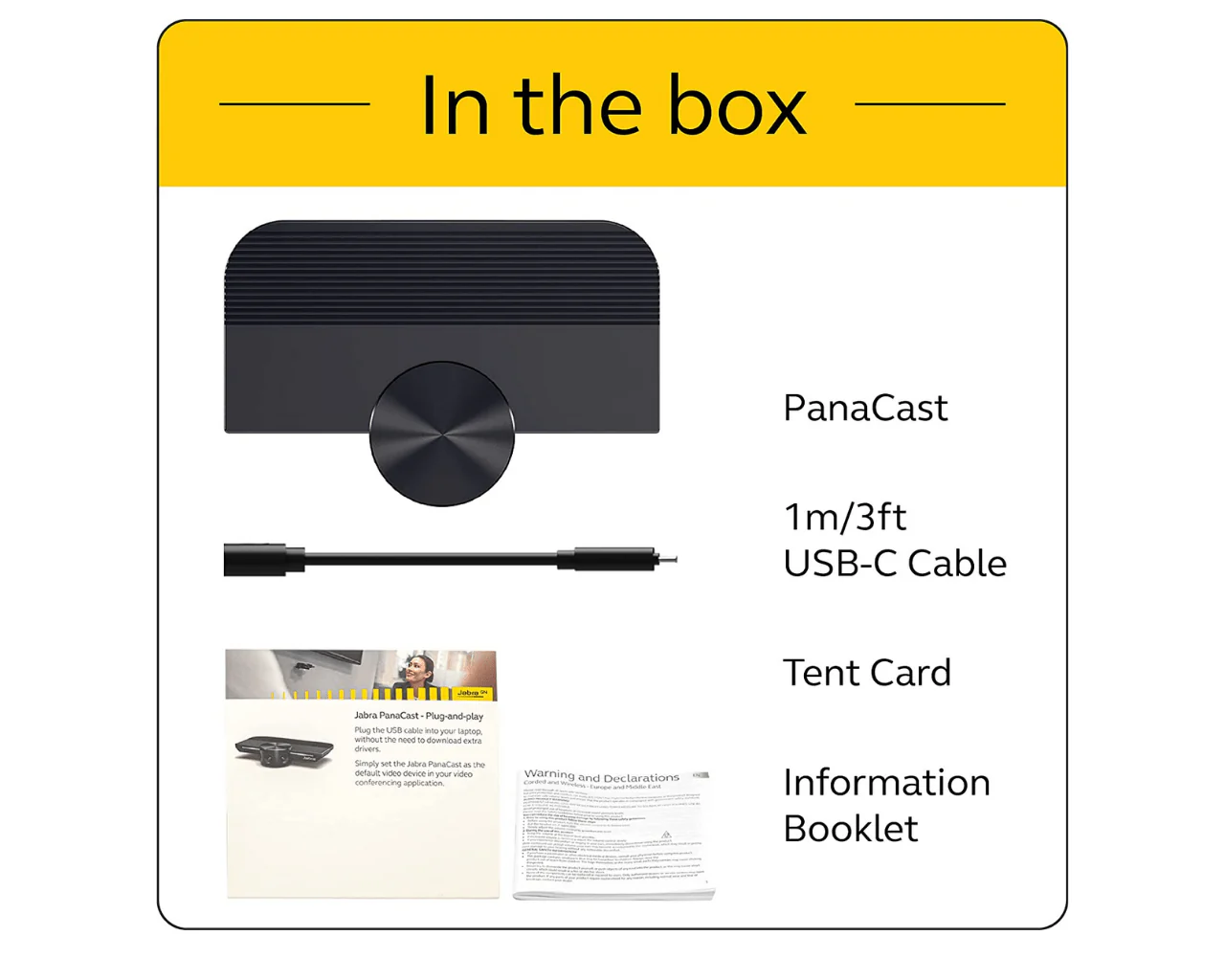
| What's in the Box? |
|
| Weight: |
|
Details & Craftsmanship
Every detail has been carefully considered to bring you the perfect product.

Details & Craftsmanship
Every detail has been carefully considered to bring you the perfect product.
Details & Craftsmanship
Every detail has been carefully considered to bring you the perfect product.

Details & Craftsmanship
Every detail has been carefully considered to bring you the perfect product.

Details & Craftsmanship
Every detail has been carefully considered to bring you the perfect product.
Description
Jabra PanaCast
- INCLUSIVE VIDEO CONFERENCE CAMERA – Jabra PanaCast is engineered to be the world’s first intelligent video conferencing camera. With three 13 MP cameras and real-time video stitching, you’ll get full 180° coverage for a natural view of all participants.
- INTELLIGENT VIDEO TECHNOLOGY – The intelligent video technology in this wide-angle webcam ensures a great video experience even with varying lighting conditions. Plus, the camera zoom adjusts automatically to include everyone in the conversation.
- EASY SET UP – This huddle room 4K webcam features plug-and-play capability, so you can get your conference calls started quickly & easily. Simply plug the Jabra PanaCast into your laptop or computer’s USB port and you’re ready to go. Includes USB-A cable.
- WIDELY COMPATIBLE – Jabra PanaCast can be used with all leading audio & video conferencing solutions. Certified for use with Microsoft Teams and compatible with Zoom and more, you can be confident your team can connect, whatever equipment they’re using.
- VERSATILE SOLUTIONS – Jabra PanaCast makes it easy to connect with your coworkers, patients, clients, students & staff, no matter if you are at the office or at home. Pair with Jabra Speak audio for an all-around superior video conferencing system.
Take that meeting where you are.
Huddle up, without huddling in.
While huddling together is off the table, you can still make use of your small meeting rooms safely, with PanaCast.
The more you know.
There’s never been a better time to learn something new, and PanaCast is the perfect tool for distance learning.
The doctor will see you now.
From routine check-ups to phone consultations, PanaCast makes it easy to connect with your patients and staff remotely, and safely.
Versatile
Works with everything, everywhere.
Jabra PanaCast works with all leading video and audio conferencing solutions, and is certified for use with Microsoft Teams & Zoom. Be confident that your team can connect, whatever equipment they’re using.
180° field of view
Panoramic-4K video technology.
Traditional video conferencing cameras rarely provide the full picture. Jabra PanaCast covers the full 180° field of view.
WHITEBOARD SHARING
Bringing the whiteboard back into the picture.
A simple whiteboard is one of the most powerful collaboration tools. But with more and more meetings going remote, using one can have its limitations – especially for those who aren’t in the room to see it. It’s time to reinvent the traditional whiteboard for modern ways of working.
Our intuitive new Whiteboard Sharing feature utilizes our unique 180° field of view to share content from up to three whiteboards digitally*. You can toggle easily between them via a simple, free setup in the Jabra Vision app, making PanaCast the most flexible content sharing camera on the market. This pioneering software uses advanced algorithms to capture your whiteboard content in real time, from any position in the room, displaying it clearly within your meeting for everyone to see, so nobody is left in the dark.
We’re bringing the whiteboard online.
*For optimum results, use black whiteboard markers and ensure that your whiteboard is placed within three meters of the Jabra PanaCast. 1m x 1.5m to 1.5m x 3m / from 3ft x 5ft to 5ft x 10ft sized whiteboards work best – for more information see our user manual.
ROOM INSIGHTS
Keep a virtual eye on your meeting rooms.
Managing multiple meeting rooms is much easier when you can see how they’re being used. Our Room Insights feature, which you’ll find within our Jabra Xpress software, allows you to utilize the unique data capture abilities of the Jabra PanaCast to manage your meeting rooms remotely.
Using data from PeopleCount – our pioneering feature which uses the camera’s 180° field of view to count the number of people present in a room – you can improve the utilization of your meeting spaces from the comfort of your office chair. Oh, and you can also make sure people are following local safety guidelines too.
Room Insights brings your meeting room data to your desk.
Software
Manage your video devices & settings easily.
Manage Jabra PanaCast in Jabra Direct & Xpress alongside your headsets to keep your unit updated, control key features and keep a central overview of all your devices.
Download Jabra Vision to access PanaCast Whiteboard sharing.
Includes everyone
Intelligent Zoom.
Intelligent Zoom automatically includes everyone in the conversation, zooming in whenever meeting participants are present, optimizing screen real-estate.
Plug-and-play
How to connect in your meeting room.
Plug-and-play by bringing your own laptop.
Jabra PanaCast is plug-and-play but you can also combine with a hub or dock that also connects speaker, TV, power and internet, for a simple one-cable user interface.
Integrate with your meeting room solutions.
If you’re deploying Zoom Rooms, Microsoft Teams Rooms or similar integrated solutions, Jabra PanaCast simply plugs into your existing hub, dock or compute unit.
Jabra PanaCast: Approved cables, extenders, USB hubs
There are several options for cabling and extending the connection between Jabra PanaCast and the host or dock. Please see below for our current list of approved cables, extenders, and USB hubs for use with Jabra PanaCast.
ROI
Save room space with Jabra PanaCast.
Enabling better collaboration is just the beginning. It's possible to make significant financial savings, due to the 180° camera, as your real estate is utilized much better when it's possible to place the table right next to the wall.
| Specifications: | |
| Field of view: |
|
| Number of cameras: |
|
| Light control: |
|
| Stitching technology: |
|
| Supported resolutions: |
|
| Camera controls: |
|
| Adjustable field of view: |
|
| USB plug-and-play: |
|
| Power: |
|
| System requirements: |
|
| Certifications: |
|
| Compatibility: |
|
| Packaging dimensions (L x W x H): |
|
| Main unit dimension (L x W x H): |
|
| What's in the Box? |
|
| Weight: |
|